ChaiMCP Workflow
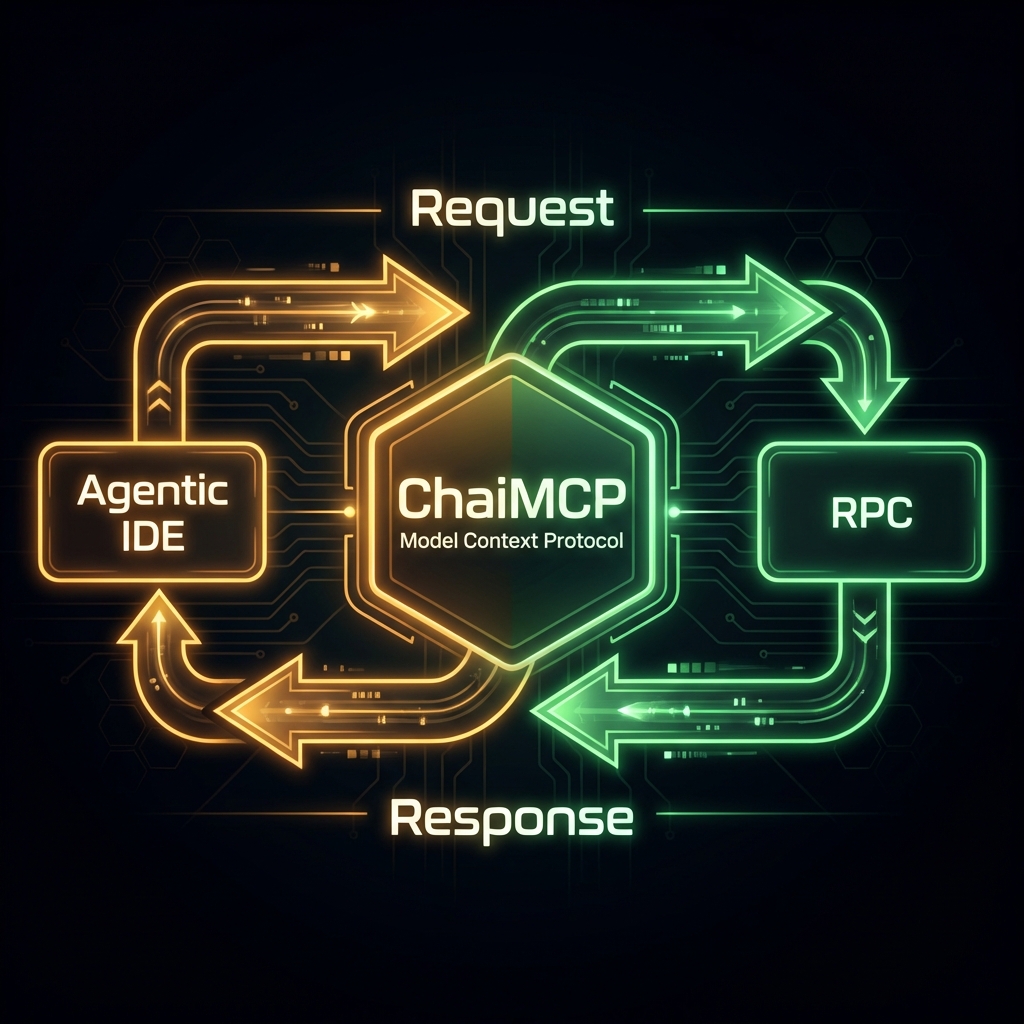
Visualizing how ChaiMCP acts as a Secure Gateway, isolating your blockchain keys from the AI agent. The agent requests actions, and ChaiMCP signs them using local keys that are never exposed to the network or the LLM.
Kubernetes Architecture
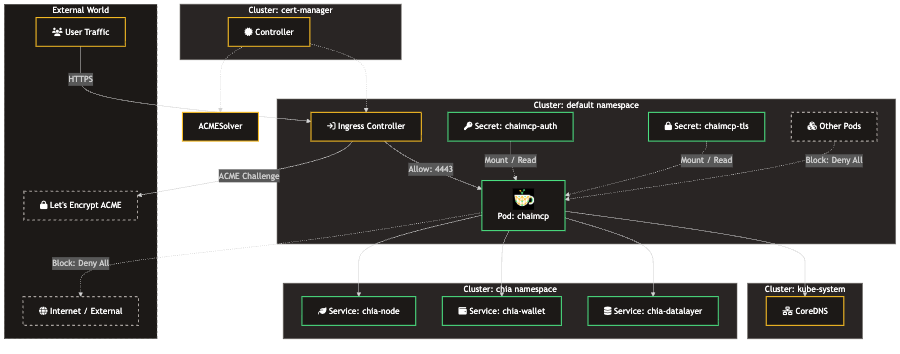
Visualizing how ChaiMCP server is allowed to access the Chia services, but nothing else is isolating your blockchain node certs and keys from the AI agent and network. The agent requests data from ChaiMCP which relays the requests to the appropriate PRC APIs which are never exposed to the network or the LLM.
Connect your Agent
Antigravity / Claude Desktop
Add the following to your mcp_config.json (usually located in
~/Library/Application Support/Claude/ or equivalent):
{
  "mcpServers": {
    "chaimcp": {
      "command": "/absolute/path/to/chaimcp/.venv/bin/chaimcp",
      "args": [],
      "disabled": false,
      "autoApprove": []
    }
  }
}
* Replace /absolute/path/to/chaimcp with the actual path where you cloned the
repo.
NPX (Local)
If running via npx, use the command-based configuration. Note that if testing
locally with the default self-signed certs (if enabled by environment), or just running via
stdio (recommended for npx), the config is simple:
{
  "mcpServers": {
    "chaimcp": {
      "command": "npx",
      "args": ["-y", "chaimcp"],
      "env": {
        "PYTHONPATH": "/path/to/your/venv/site-packages"
      }
    }
  }
}
* Better yet: Run npx . inside the repo folder to test local
changes.
Kubernetes / Docker (SSE)
If you deployed via Kubernetes, your agent connects via SSE (Server-Sent Events) over HTTP:
{
  "mcpServers": {
    "chaimcp-k8s": {
      "url": "https://localhost:4443/sse",
      "transport": "sse",
      "disableTlsVerify": true,
      "headers": {
        "Authorization": "Bearer YOUR_AUTH_TOKEN"
      }
    }
  }
}
* Ensure you have port-forwarded the service (e.g.,
kubectl port-forward svc/chaimcp 4443:443) or utilize an Ingress.